Wireshark Fun With Python and Lua Part 2
wireshark#
So finally Wireshark is ready to join the party. Wireshark already has tons of dissectors for all protocols in existance (probably).
DNS
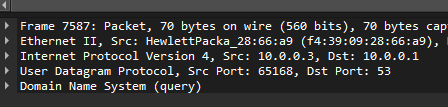
TLS

SSDP

display filters#
Theres a lot of noise on the wire (or wireless wires as the case may be..). To make things easier and only show the packets generated by the PoC script I’ll use a display filter, setting the protocol and destination IP. Display filters do what it says on the tin.
Display filter NOT set
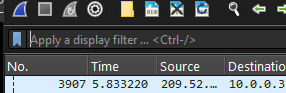
Display filter SET!
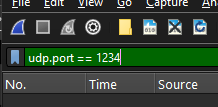
Great. We can see clearly now. The rain is gone.
So our PoC is sending the “fake” game chat messages but wireshark clearly has no idea what its looking at so it shows it in a basic, default kinda way.
[image of packets (without dissector) being filtered]
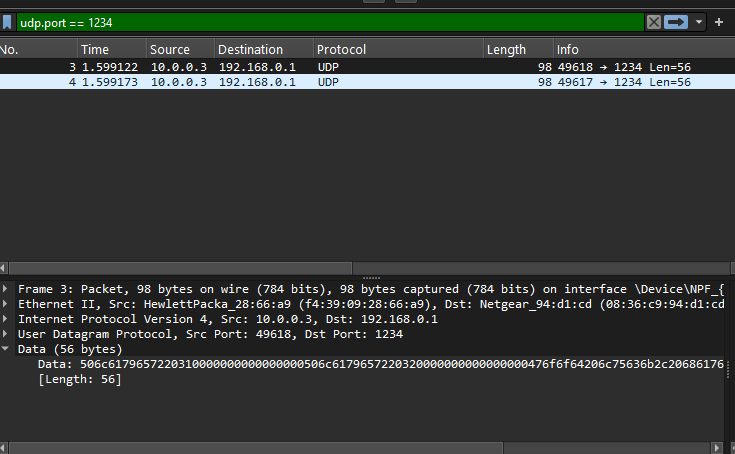
Not cool. We gotta make it pop.
dissector#
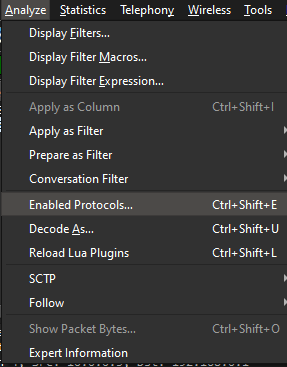
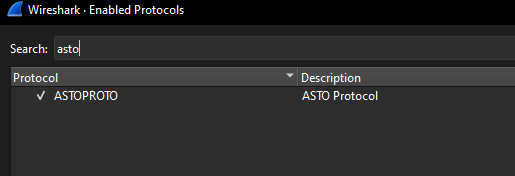
Enter the dissector (finally..). This gets place in wiresharks folder, restarting wireshark should pick it up on load. To see if your protocol dissector has loaded open the ‘Analyze’ menu, click on ‘Enabled Protocols’. Use the search to find your proto name. In this case its “ASTO Protocol”. More on how that information is set is coming up next.
Enable Protocols Menu
Search for our protocol
dissector code#
local asto_protocol = Proto("astoproto", "ASTO Protocol")

local  f_sender = ProtoField.string("astoproto.sender", "Sender")
local  f_recver = ProtoField.string("astoproto.recver", "Recver")
local  f_message = ProtoField.string("astoproto.message", "Message")

asto_protocol.fields = { f_sender, f_recver, f_message }

function asto_protocol.dissector(buffer, pinfo, tree)
    pinfo.cols.protocol:set("ASTO-PROTO")
    local subtree = tree:add(asto_protocol, buffer(0))

    local sender_value = buffer(0, 16):string()
    subtree:add(f_sender, buffer(0, 16))

    local recver_value = buffer(16, 16):string()
    subtree:add(f_recver, buffer(16,16))

    local message_value = buffer(32, 24):string()
    subtree:add(f_message, buffer(32,24))
end

local udp_port = DissectorTable.get("udp.port")
udp_port:add(1234, asto_protocol)
Finally the good stuff.
Starting from the top, lets break this down.
local asto_protocol = Proto("astoproto", "ASTO Protocol")

local  f_sender = ProtoField.string("astoproto.sender", "Sender")
local  f_recver = ProtoField.string("astoproto.recver", "Recver")
local  f_message = ProtoField.string("astoproto.message", "Message")
Some basic preamble. First line is where we set the “protocol id and friendly name” as I like to call it. (please don’t quote me on the actual definitions ;)
A new variable (asto_protocol) declared with a friedly name of “ASTO Protocol”. Notice how that is what showed up in the “Enabled Protocols” screen.
Next we declare three vars (sender, recver, message) that will hold our “chat” data.
After that we add those fields to the main protocol structure.
asto_protocol.fields = { f_sender, f_recver, f_message }
Moving along.. next we’ll actually define the dissector method within the protocol structure as follows:
function asto_protocol.dissector(buffer, pinfo, tree)
    pinfo.cols.protocol:set("ASTO-PROTO")
    local subtree = tree:add(asto_protocol, buffer(0))

    local sender_value = buffer(0, 16):string()
    subtree:add(f_sender, buffer(0, 16))

    local recver_value = buffer(16, 16):string()
    subtree:add(f_recver, buffer(16,16))

    local message_value = buffer(32, 24):string()
    subtree:add(f_message, buffer(32,24))
end
dissector() takes three args, buffer, pinfo and tree.
The way I understand it is that buffer is the actual raw data from the network. pinfo is an internal data structure of the protocol (?) and tree repersents the protocol data as it is seen in the GUI. I am probably way off base on this but bear with me.
- First
pinfo.cols.protocolis set with the protocol name. - Create a new variable
subtree. Think of this hanging of the main tree. - The first 16 bytes (0 to 16) of
bufferis converted to a string and set intosender_value. - Then that string is added to the subtree
Lets see this bad boy in action#
Start capture
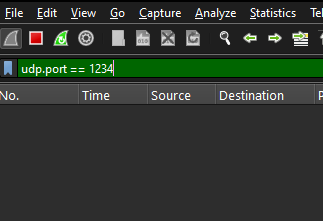
Use the PoC to send data across the wire

Wireshare now happily dissects our protocol and shows two messages were sent
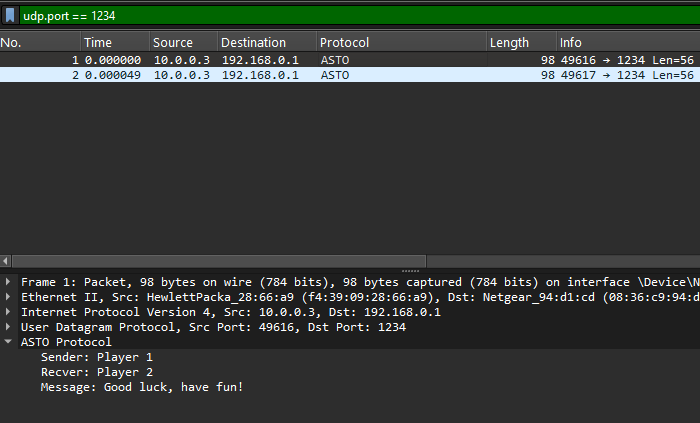
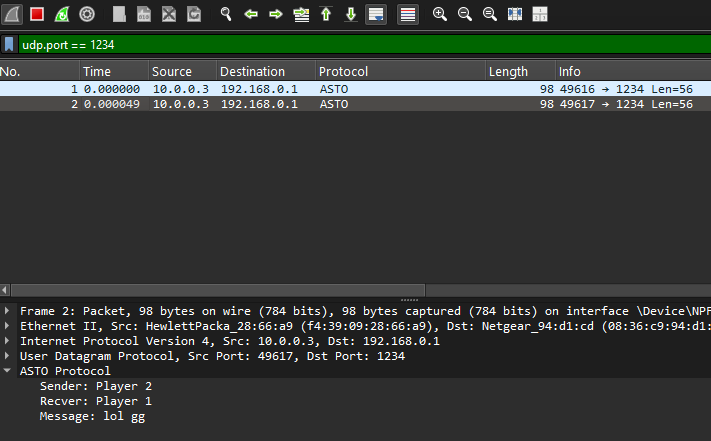
You may not believe, but Bob is now your uncle.